


TGA Project 5
Spite: Bleeding Skies
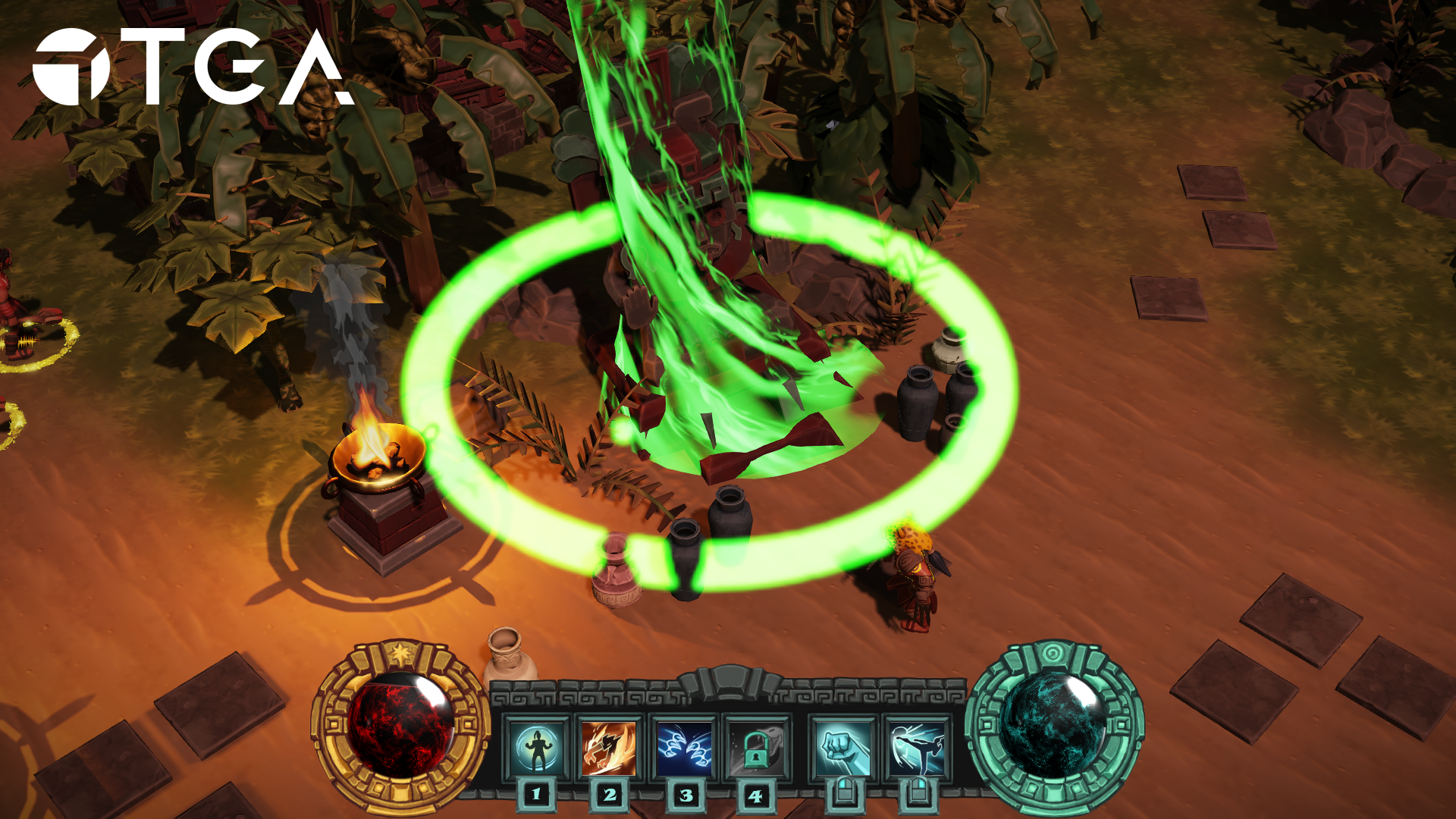
In a temple-city once ruled by cruel Sky gods, a false prophet rises, demanding blood to prevent a foretold eclipse. As fear spreads and cults grow, the Earth sends its champion to stop the madness. Wield divine power, crush the eclipse cult, and decide the fate of a world on the brink.
My Contribution
Engine
Graphics Programming
Boss Fight
Tools
What is Spite: Bleeding Skies?
Spite: Bleeding Skies is a Diablo 3-inspired action game made in 14 weeks by Water Leaks Studio – a team of 23 students from The Game Assembly Malmö and Östra Grevies Folkhögskola. For this project we developed our own in-house custom C++ game engine bean. Yes, “bean” is the name of the engine.
What I did
Graphics Engine
As we were making en entire game engine from scratch we had to start somewhere. I did most of the project setup, like setting up the build system and adding all the libraries we’d need. As part of that we decided to use my Graphics Engine, a wrapper around Direct3D11 that I had developed during our graphics programming course- since mine was the most developed and capable.
Over the course of the project a few features were added including support for emissive maps,screen-space ambient occlusion, FXAA anti-aliasing techniques, 2D sprite rendering, particle systems, borderless fullscreen and support for compiling, and hot-reloading shaders in run-time.

Boss Fight
At the end of the game is a boss fight against the prophet who’s been growing the evil cult.
The boss fight itself is handled by an overlying system that controls which phase the fight is in and what should happen in each phase. The boss you fight is actually just a special enemy that the boss fight system manages.
When you first enter the arena, the boss spawns and the fight starts. After getting it to half health it walks to the center of the stage. When it reaches it, the second phase starts and it gains an invincibility shield and spawns a wave of enemies. There’s 3 waves in total and only after all have been defeated the boss enters phase 3 where its behaviour tree is modified to be much more aggressive. Beating it here finally allows you to view the ending cutscene and beat the game 😀
Particle Viewer
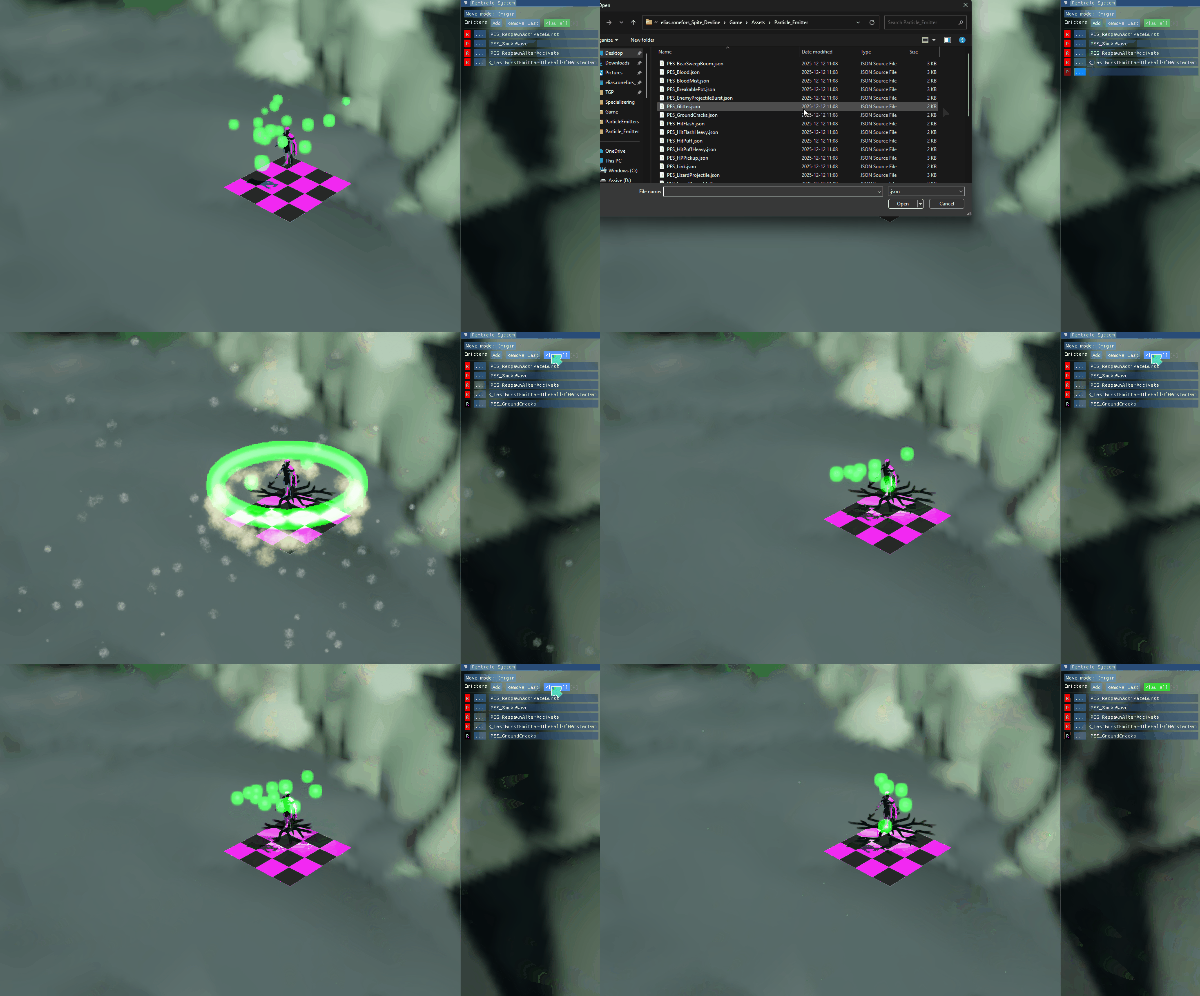
This was our first project with Technical Artists. Since they were going to make all the particle effects they needed a way to be able to preview them nicely in the engine. I made a simple tool for them that allows them to load particle effects they’ve made and see them next to the player model. There they can control how the particle effects move (or not move!) to see them in different situations.
Reflection
Since we spent a lot of time on setting up and planning the engine I think we got a nice structure. We never had to majorly refactor anything during this project, although we did end up changing a lot for the next one.
During this project our artists had to create individual json files for each material. This was tedious, slow, and led to some human error. Definitely something to fix for the next projet! (Spoiler: we did)
Other than that I am pretty happy, I got to learn a lot about behavior trees for the boss fight and had a lot of fun implementing cool tech for the graphics engine.
Play it!